
Microsoft is now accelerating its Linux strategy with the debut of Azure Linux 4.0 and the general availability of Azure Container Linux.

A PowerShell-based Hyper-V health check can be automated through Task Scheduler to provide a daily status report while also running hourly in silent mode unless a problem is detected.

A PowerShell-based Hyper-V health monitor can give admins a quick, color-coded view of host, VM, replication, disk and memory issues before they become larger problems.

A failed Hyper-V replication setup prompts a PowerShell-based approach to building lightweight, do-it-yourself health monitoring without the cost or complexity of an enterprise-grade tool

While Hyper-V largely handles NUMA placement automatically, admins can still hurt VM performance by overallocating virtual CPUs past a single physical CPU's core count, making it important to size VMs to stay within one NUMA node when possible.

NUMA in Hyper-V isn't something you have to master--it's something you need to avoid accidentally breaking, and understanding a host's NUMA layout helps you do that.

Hosting a custom PowerShell application through RemoteApp can introduce unexpected authentication and database permission challenges -- especially when Windows authentication and SQL Server backups are involved.

Learn how to continue your RemoteApp deployment by configuring RD Gateway, applying certificates and setting up Remote Desktop licensing.

Here's the step-by-step process for installing and configuring Remote Desktop Services to publish Windows applications as RemoteApp programs, enabling domain-joined servers to deliver apps to Linux and other non-domain clients through RDP.

Here's how to deploy a domain-joined Remote Desktop Services environment for Windows RemoteApp, including licensing requirements and session collection configuration, to publish Windows applications to non-domain and Linux clients.
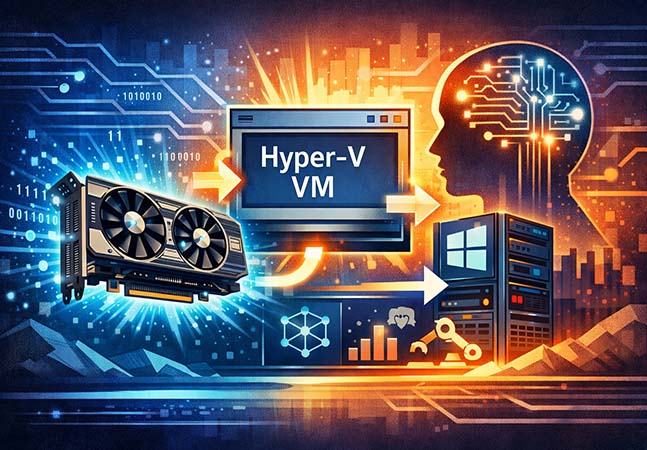
This step-by-step guide explains how to use Discrete Device Assignment to attach a physical GPU directly to a Hyper-V virtual machine, enabling hardware-accelerated workloads such as AI while bypassing deprecated RemoteFX technology.

Hyper-V administrators can quickly resolve four common errors by identifying their root causes--from permissions and VM corruption to network switch conflicts and storage access issues--and applying straightforward corrective steps.

With VMware pricing changes shaking up the market, Microsoft MVP Émile Cabot explains why Hyper-V is emerging as a cost-effective, enterprise-ready alternative for virtualization and hybrid cloud strategies.

Establishing host groups and consistent naming conventions in System Center Virtual Machine Manager is essential for managing large Hyper-V environments efficiently and at scale.

Hyper-V has come a long way since 2012, and as one IT pro recently found out, it’s now a surprisingly capable solution for running a lab environment on the go -- assuming your hardware can keep up.

In a climate of tight budgets and seismic technological shifts, IT vendors are stepping up to help organizations stay innovative -- and stay ahead.
- By Redmondmag.com Editors
- 03/18/2025

Avoiding this configuration blunder should save you some considerable time.

Microsoft recently announced a pair of new Azure virtual machine (VM) options designed to accommodate the intense compute demands of modern -- specifically, AI -- workloads.

A passthrough disk feature can offer practical alternative use cases, like simplifying file transfers between isolated virtual machines.
In preview since November 2023, Microsoft's Windows App solution is now generally available for Web browsers, as well as Windows, macOS, iOS and iPadOS devices.